Domena Power
Charging in practice

RFID or app: how to authorise EV charging

4 min readupdated

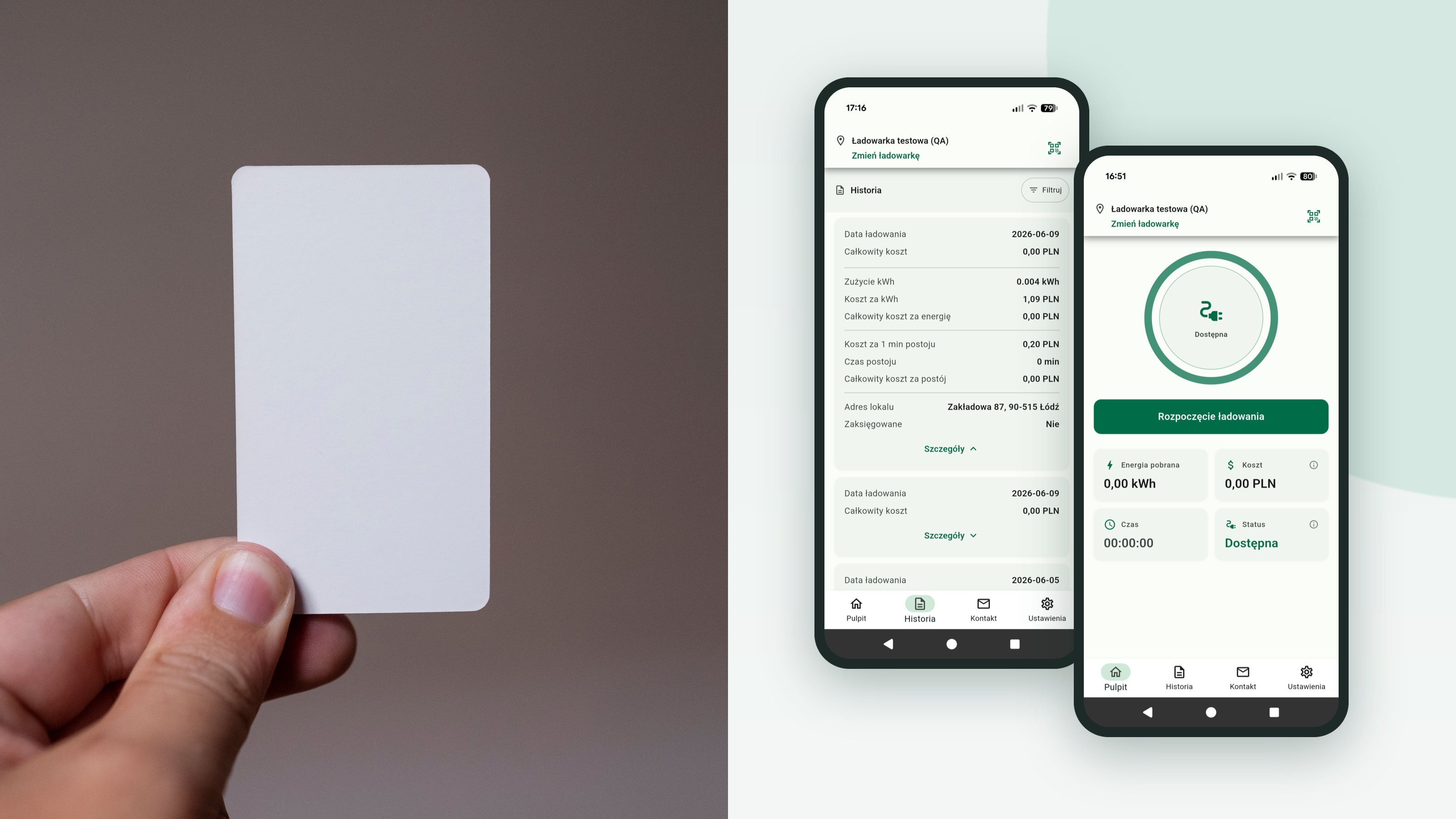
An RFID card in a hand next to Domena Power app screens showing charging history and a session startFot. Daniel Reche

Authorisation determines who can start a charger and who the session cost is assigned to. Most often, the choice comes down to an RFID card or a mobile app. We show how both approaches work in practice and why the Domena Power system is built around the app and the property manager’s panel, with RFID cards as an option.

RFID card: simple, but a hassle to manage

An RFID card is a physical token that the user holds against the charger’s reader. The charger checks whether the card is authorised and starts the session. The solution is familiar and simple, but it creates ongoing work for the property manager:

  • Cards have to be ordered, programmed, issued and tracked in a register.
  • A lost card has to be blocked and a new one issued, and when a resident, tenant or employee changes — the old one has to be recovered.
  • The card identifies a token, not a person: it is easy to lend, so a session may be charged to someone else’s account.
  • The user cannot see in real time how much energy they have used and how much they will pay — they only find out from the bill.
  • Every charger needs a reader, and a hotel guest or one-off user needs a physical card.

The Domena Power app: the charger in your phone

In the Domena Power system, the user authorises charging in the mobile app. They select a charger from the list or scan its QR code, see the connector status and start the session with a single button. The app shows:

  • connector status: available, occupied or unavailable — before you go down to the garage,
  • live session data: charging power, energy used, time and current cost,
  • cost details: the price per kWh and a breakdown of the session cost,
  • charging history with the date, consumption, cost per kWh and total amount,
  • notifications when a session starts and ends, and of errors (if the charger supports them).

Access granted from the property manager’s panel

On the property manager’s side, there are no cards to issue. In the Domena Power CMS panel, access is granted and revoked remotely — to a specific charger, location, unit or the whole building. A new resident is added in moments, and after a unit is sold, access expires with a single click.

The panel supports roles (e.g. administrator, operator, reception) and remote authorisation of a specific connector. In a hotel or office, reception can start charging for a guest once the car is plugged in — without creating an account and without handing over a card.

RFID card vs app: a comparison

  • Granting access: RFID — issuing a card on site; Domena Power app — remotely from the panel, at any time.
  • Revoking access: RFID — the card has to be recovered or blocked; app — one click in the panel.
  • Identification: RFID — a card that can be lent; app — an account assigned to a person and a unit.
  • Cost for the user: RFID — visible only on the bill; app — live during the session and in the history.
  • Serving guests: RFID — a physical card for everyone; app — remote authorisation from reception.
  • Running costs: RFID — purchasing, registering and replacing cards; app — no cards, included in the system subscription.

Authorisation is the foundation of reliable billing

Authorisation isn’t just for starting the charger. It is what assigns the session to a specific person and unit. Combined with a MID-certified meter, it provides a complete set of data for billing: the property manager downloads a per-unit report from the panel and issues debit notes based on it, while the user sees the same data in the app.

The system bills energy according to the tariff set by the site — free, fixed or two-zone (day/night) — with no commission on energy sales.

What to choose for a closed site

In housing communities, hotels and offices, the app wins on convenience, access control and lower running costs. That is why Domena Power is built around authorisation in the app and the property manager’s panel. The system also supports RFID cards, so users without a smartphone can charge with a card or be authorised remotely from the panel.

Frequently asked questions

  • Yes, no cards are needed: the user authorises charging in the app, and the property manager grants and revokes access remotely in the panel. If a site prefers cards, the system also supports RFID cards.

Related services

We handle the entire process turnkey — see how we can help:

Read also

Have a question about charging at your property?

Let’s talk

Let’s talk about working together

Call or write — we’ll answer your questions about assessment, installation and charger billing. You can also leave an enquiry in the form beside this.

I am interested in:

You can select several options.

Provide it if you are enquiring on behalf of a housing community or company. Individual clients can leave it blank.

Leave a number if you prefer a call. Otherwise we will reply by e-mail.

Tell us about the project: type of property, number of charging points, location. It helps us prepare a quote.